
Portable Office Exec
Hubert Van den Berg
Screenshots
App details
- Updated
- Jun 8, 2007
- Language
- Spanish,English
- Developer
- Hubert Van den Berg
- Category
- Mobile
SoftPas in:
This product is also available in the following languages:
About Portable Office Exec
Download Portable Office Exec – USB Tools, Office Utilities, System Security
Overview
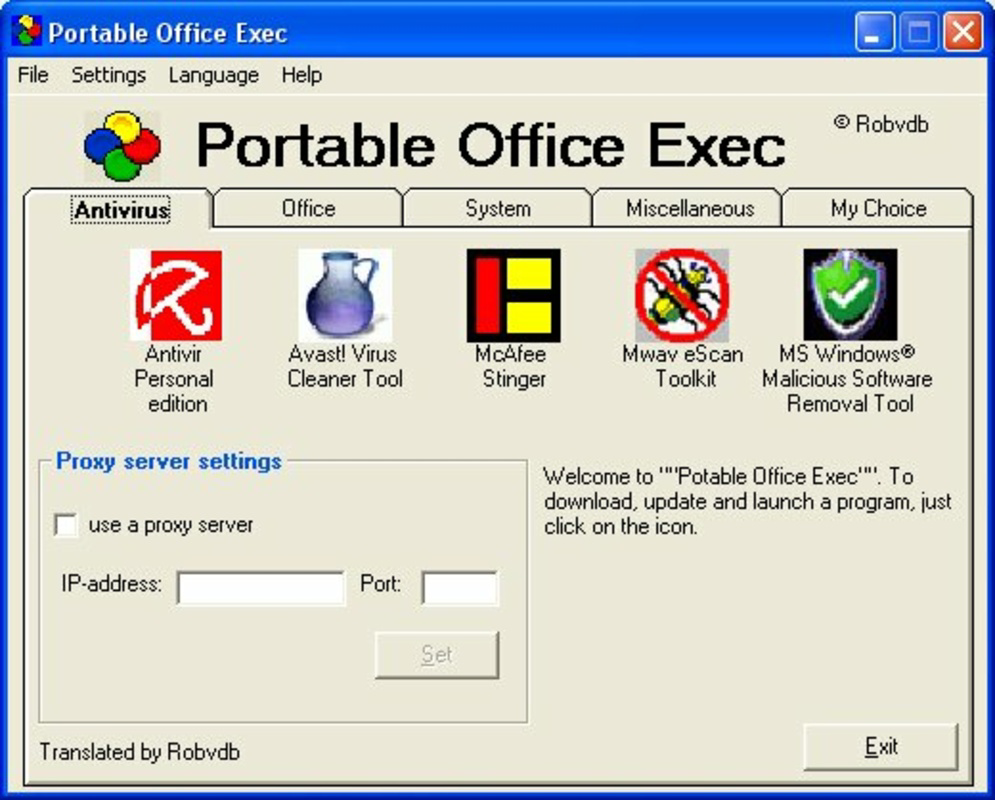
Portable Office Exec is a utility-focused application designed to deliver a wide range of essential tools directly from a USB drive. It functions as a centralized control panel, enabling users to access antivirus software, office applications, system utilities, and personal tools without requiring installation on the host computer. This makes it particularly valuable for individuals who frequently work across multiple devices, especially in shared or public computing environments. The app is ideal for professionals, remote workers, students, and IT personnel who need consistent access to productivity and security tools regardless of the device they’re using.
By storing all necessary applications and utilities on a portable drive, Portable Office Exec eliminates dependency on internet connectivity or local software installations. This enhances both privacy and operational continuity, particularly when using unfamiliar or restricted systems. Real-world use cases include data backup on the go, performing system diagnostics on a client’s machine, or securely handling sensitive documents without leaving traces on the host computer. The app fills a niche in the mobile productivity ecosystem by combining portability, functionality, and security in a single, accessible package. Although the developer did not provide additional background details, the app’s longevity since its release in 2007 suggests a proven track record in niche utility markets.
Key Features & Functionality
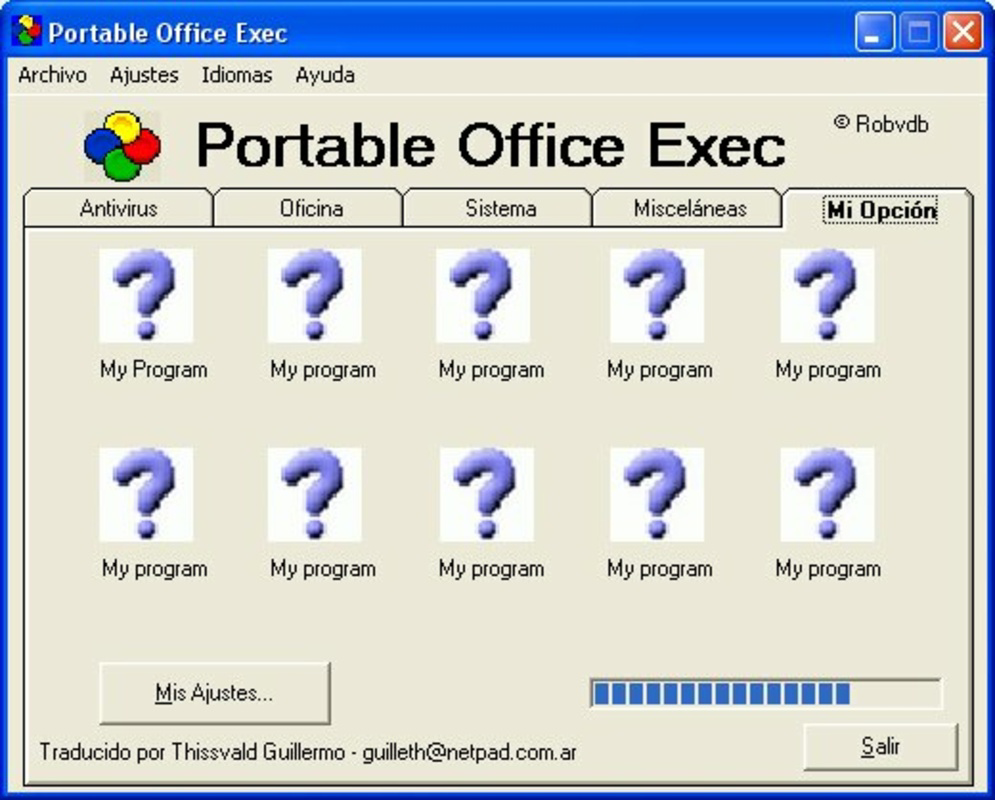
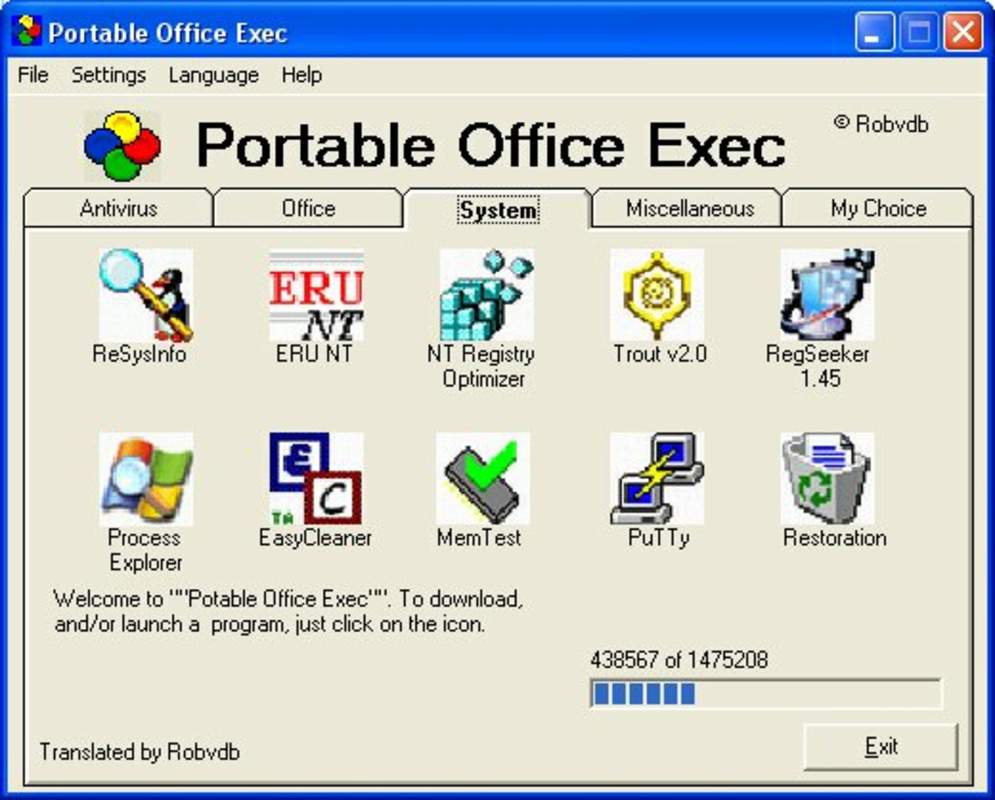
- Structured Tool Categories: The application organizes utilities into distinct categories—antivirus, office, system, miscellaneous, and personal—ensuring intuitive access and minimizing user confusion. This categorization allows for efficient navigation, especially when managing a large number of tools.
- Offline Operation via USB: All tools remain stored on the USB drive after initial download, enabling full functionality without an active internet connection. This feature is ideal for users working in environments with limited or no connectivity.
- Diverse Utility Suite: Includes a file compressor, email and FTP client, RAM memory tester, and other system diagnostics tools. These support a broad spectrum of tasks, from document management to network configuration and hardware testing.
- Custom Application Integration: The “personals” category allows users to add their own preferred applications, making the suite highly adaptable to individual workflows and specific project needs.
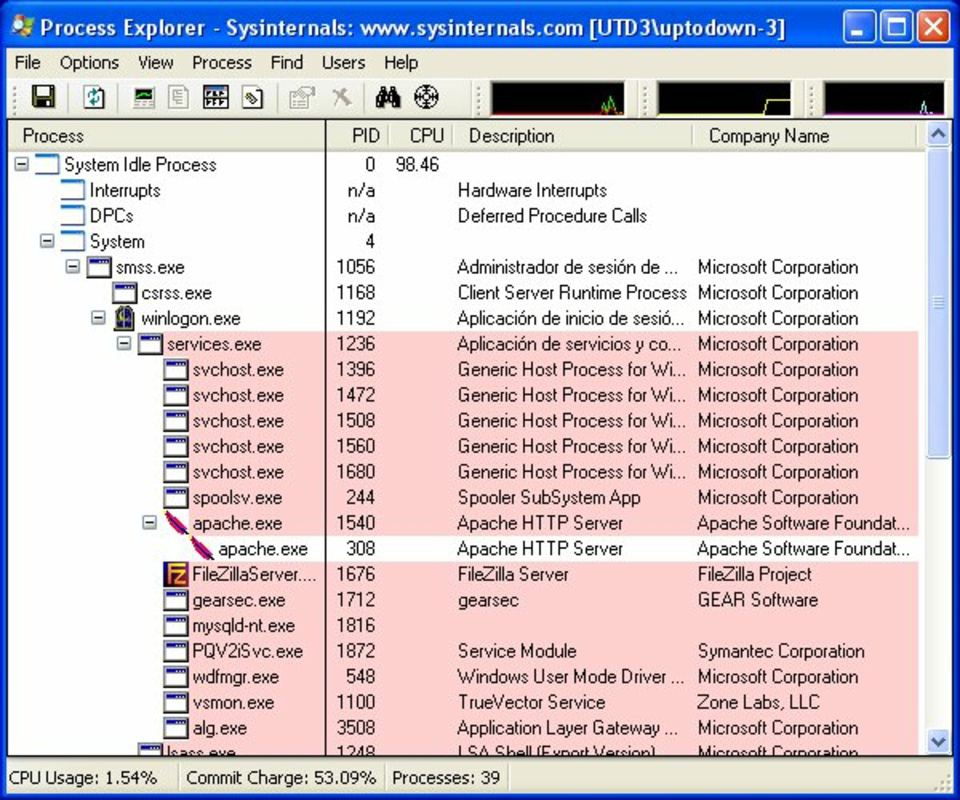
- Privacy and Security Tools: Features such as a private information cleaner and process explorer help safeguard sensitive data when using shared or public computers, reducing the risk of data leakage or unauthorized access.
For example, a freelance graphic designer can use Portable Office Exec to carry a lightweight office suite and file compression tool while working at a client’s office. Similarly, an IT technician might use the RAM tester and process explorer to troubleshoot system performance issues on-site without installing software on the target machine.
Interface, UX & Performance
The interface of Portable Office Exec is designed with functionality and simplicity in mind. Users are presented with a clean, menu-driven layout that prioritizes accessibility over visual flair. Navigation is linear and intuitive, with clearly labeled categories that guide users through available tools. The visual style remains consistent with traditional utility software, focusing on usability rather than modern design trends.
Navigation flow is straightforward: users select a category, browse the list of tools, and launch the desired application directly from the USB drive. The app does not require administrative privileges to run, which enhances compatibility across different systems. Although the developer did not list formal performance metrics, the lightweight nature of the application suggests minimal impact on system resources. Responsiveness appears to be stable, particularly on older or low-spec hardware, given its long-standing presence in the utility space. Stability is further supported by its ability to operate without installation, reducing the risk of conflicts with existing software. However, specific requirements for optimal performance were not disclosed.
Platform Compatibility & Technical Requirements
Portable Office Exec is designed to run on Windows-based systems, as indicated by its historical context and file structure. The app is distributed as a portable package, meaning it does not require installation and can be executed directly from a USB drive. The file size is listed as 14.6 MB, making it compact and suitable for storage on standard flash drives. The software version is not specified, and the developer did not provide detailed information about minimum operating system requirements or supported hardware configurations.
Compatibility with modern Windows versions (such as Windows 10 or 11) is likely due to its portable nature and lack of installation dependencies. However, users should exercise caution when running legacy software on updated systems, as some older tools may not function correctly or may trigger security warnings. The developer did not specify whether the app supports macOS or Linux, nor was any information provided about cloud integration or mobile compatibility.
Pros and Cons
Pros
- Full functionality without internet connection
- Runs directly from USB without installation
- Organized tool categories for easy navigation
- Supports custom application integration
- Includes privacy and security utilities
- Compact file size (14.6 MB)
Cons
- No official documentation or support channels provided
- Compatibility with modern operating systems not confirmed
- Limited information on technical requirements
- Outdated release date (2007) raises concerns about current security updates
- No visible update history or version control
FAQ
Is Portable Office Exec safe to use on public computers?
Yes, the app is designed to run from a USB drive without leaving traces on the host system. Its included privacy tools, such as the private information cleaner, help protect sensitive data during use.
Can I add my own applications to Portable Office Exec?
Yes, the “personals” category allows users to integrate their preferred tools, making the suite customizable to individual needs.
Does Portable Office Exec require an internet connection?
No, all tools remain on the USB drive after download, enabling full functionality offline.
Is the app compatible with Windows 10 or 11?
While the app was released in 2007, its portable nature suggests potential compatibility. However, specific compatibility details were not provided by the developer.
How do I update Portable Office Exec?
Update information was not disclosed. Users should check the official source for any available updates, though no official update mechanism is currently documented.
Final Thoughts
Portable Office Exec remains a unique solution for users who prioritize portability, privacy, and access to essential tools across multiple devices. Its ability to function independently of the host system and internet connectivity makes it a reliable companion for professionals and students alike. While its age raises questions about modern security standards, the core functionality—offline access, customization, and system utility—remains relevant. For those needing a lightweight, no-installation toolkit, this app offers a practical, no-frills approach to mobile productivity. The combination of diverse utilities, privacy features, and USB-based deployment creates a compelling value proposition for niche users.
Download Portable Office Exec now
Guides & Tutorials
How to install Portable Office Exec
- Click the Download button above.
- Once redirected, accept the terms and click Install.
- Wait for the Portable Office Exec download to finish on your device.
How to use Portable Office Exec
This software is primarily used for its core features described above. Open the app after installation to explore its capabilities.
User Reviews
No reviews yet. Be the first to share your experience.
You may also like
more
Que no te pillen¡
About !Que no te pillen¡Reviewed by Jason A. BilbreyShow MoreShow Less

3D Combat Zone
About 3D Combat ZoneOriginally released in 1983, 3D Combat Zone immerses players...

666: El día del portal
About 666: El día del portalOn June 6, 2006, Agent P. Stone uncovers a sinister...

80 in 1 Best Flash games
About 80 in 1 Best Flash games 80 in 1 Best Flash games is a collection of 80 fl...

ABYSS SEEKERーーWhat Do You See Deep in The Abyss
About ABYSS SEEKERーーWhat Do You See Deep in The AbyssIn ABYSS SEEKER, players...

ACA NEOGEO THE KING OF FIGHTERS 2002 for Windows
About ACA NEOGEO THE KING OF FIGHTERS 2002 for WindowsTHE KING OF FIGHTERS 2002,...